How to Use Cloud Services for App Development is no longer just a topic for big tech companies—it’s something anyone can explore, from beginners building their first app to startups scaling fast. In today’s digital world, cloud services have become the backbone of modern app development, offering flexibility, speed, and cost efficiency that traditional methods simply can’t match.
If you’ve ever wondered how developers build apps that can handle thousands (or even millions) of users without crashing, the answer often lies in cloud computing. Let’s break it down in a simple, human way—no heavy jargon, just practical insight you can actually use.
What Are Cloud Services in App Development?
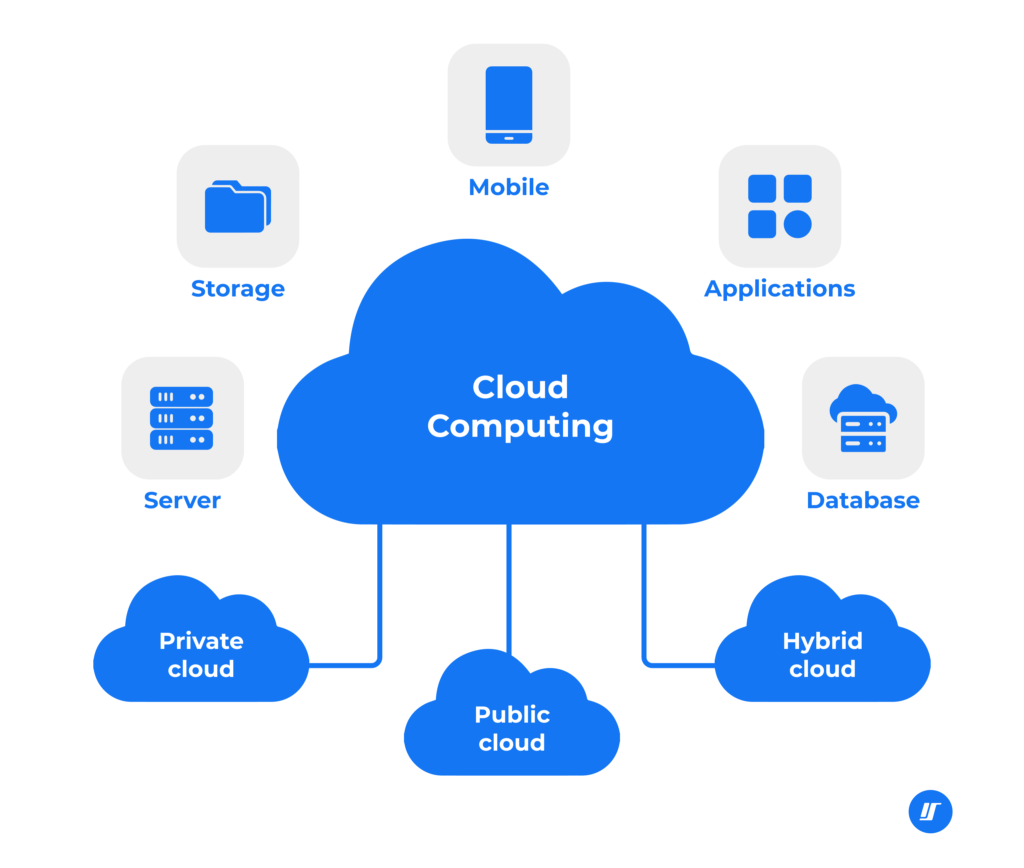
At its core, cloud services refer to computing resources—like servers, storage, and databases—that are delivered over the internet. Instead of buying expensive hardware, developers “rent” what they need from providers like AWS, Google Cloud, or Azure.
This means you don’t need a physical server sitting in your office. Everything runs remotely, and you can access it anytime.
Some common types of cloud services include:
- Infrastructure as a Service (IaaS)
- Platform as a Service (PaaS)
- Software as a Service (SaaS)
Each one serves a different purpose, but for app development, PaaS and IaaS are the most commonly used.
Why Cloud Services Matter for Modern Apps
Building apps today is very different from 10 years ago. Users expect speed, reliability, and seamless experiences. Cloud services help developers meet those expectations.
Here’s why they matter:
- Scalability: Your app can grow without rebuilding infrastructure
- Cost efficiency: Pay only for what you use
- Speed: Launch apps faster with ready-to-use tools
- Reliability: Built-in backup and recovery systems
Imagine launching an app that suddenly goes viral. Without cloud services, your system might crash. With cloud computing, your app simply scales up automatically.
Key Components of Cloud-Based App Development
When learning how to use cloud services for app development, it’s important to understand the building blocks.
1. Cloud Hosting
This is where your app lives. Instead of a local server, your app runs on cloud servers that are accessible worldwide.
2. Databases
Cloud providers offer managed databases, meaning you don’t need to handle maintenance manually.
Examples include:
- SQL databases (structured data)
- NoSQL databases (flexible data)
3. APIs and Backend Services
Cloud platforms often provide ready-made backend tools like authentication, notifications, and analytics.
This is where things get interesting—because you can build powerful apps without coding everything from scratch.
4. Storage
Need to store images, videos, or user files? Cloud storage makes it easy and scalable.
Step-by-Step: How to Use Cloud Services for App Development
Let’s walk through a simple process you can follow.
Step 1: Choose the Right Cloud Provider
Start by selecting a platform that fits your needs. Popular options include:
- Amazon Web Services (AWS)
- Google Cloud Platform (GCP)
- Microsoft Azure
Each has its strengths, so take time to explore their pricing and features.
Step 2: Define Your App Architecture
Before jumping in, plan your app structure:
- Frontend (what users see)
- Backend (logic and processing)
- Database (data storage)
This helps you decide which cloud services you’ll need.
Step 3: Set Up Cloud Infrastructure
Here’s where you create:
- Virtual machines or containers
- Storage buckets
- Networking configurations
Don’t worry—most platforms offer templates to make this easier.
Step 4: Deploy Your Application
Upload your code and deploy it to the cloud. Many services support continuous deployment, so updates happen automatically.
Step 5: Monitor and Optimize
Once your app is live, track performance using built-in tools. Adjust resources as needed to save cost and improve speed.
Comparison of Cloud Service Models
Here’s a simple table to help you understand the differences:
| Service Model | What You Manage | What Cloud Handles | Best For |
|---|---|---|---|
| IaaS | Apps, data, OS | Hardware, network | Full control projects |
| PaaS | Apps, data | OS, runtime | Fast development |
| SaaS | Usage only | Everything | End users |
This table gives you a quick overview of how much control vs convenience each model offers.
Benefits of Using Cloud Services for App Development
Let’s highlight some real-world advantages:
Faster Development Cycle
With cloud tools, developers can skip repetitive setup tasks and focus on building features.
Global Accessibility
Your app can be accessed from anywhere in the world with minimal latency.
Security Features
Cloud providers invest heavily in security, offering encryption, firewalls, and compliance tools.
Automatic Updates
No need to manually patch systems—updates are handled for you.
Common Challenges (And How to Handle Them)
Of course, it’s not all perfect. Here are some challenges you might face:
Cost Management
Cloud services can get expensive if not monitored properly.
Solution: Set budget alerts and track usage regularly.
Learning Curve
Beginners may feel overwhelmed by the number of tools available.
Solution: Start small and focus on one service at a time.
Vendor Lock-In
Switching providers later can be difficult.
Solution: Use flexible architectures like containers (Docker, Kubernetes).
Best Practices for Cloud-Based Development
If you want to succeed in using cloud services, keep these tips in mind:
- Design for scalability from the beginning
- Use automation wherever possible
- Regularly back up your data
- Monitor performance continuously
- Optimize costs with resource planning
Also, don’t underestimate the power of documentation. Keeping track of your setup will save you hours later.
Future Trends in Cloud App Development
The future of cloud computing is exciting. Here are some trends worth watching:
Serverless Architecture
Developers can run code without managing servers at all.
AI Integration
Cloud platforms are integrating AI tools for smarter apps.
Multi-Cloud Strategies
Companies are using multiple providers to avoid dependency.
Edge Computing
Processing data closer to users for faster performance.
These trends show that cloud services are not just evolving—they’re redefining how apps are built.
Final Thoughts
Learning How to Use Cloud Services for App Development might seem complex at first, but once you understand the basics, it becomes a powerful tool in your development journey.
The beauty of cloud computing lies in its flexibility. Whether you’re building a simple mobile app or a large-scale platform, cloud services give you the tools to grow without limits.
And here’s the key takeaway: you don’t need to master everything at once. Start small, experiment, and build your confidence step by step.
In the end, cloud-powered development isn’t just a trend—it’s the new standard.