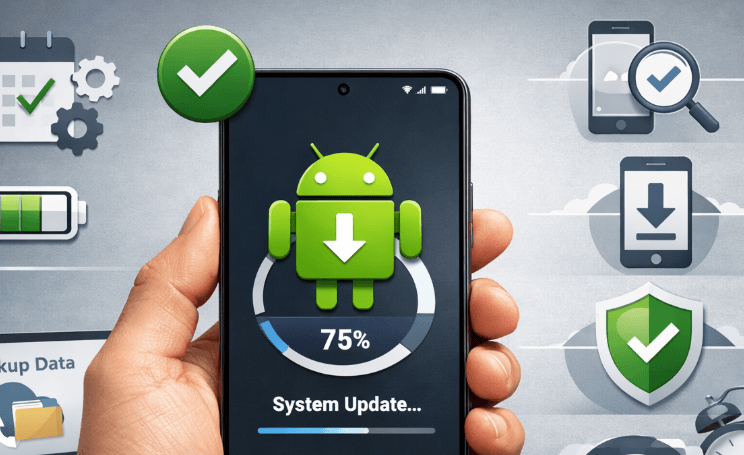
How to properly update the Android operating system is something many people overlook, even though it plays a huge role in keeping your smartphone fast, secure, and full of the latest features. If you’ve ever ignored that “Update Available” notification, you’re definitely not alone. But updating your Android device the right way isn’t just about tapping a button—it’s about doing it safely and efficiently so your data stays secure and your phone runs smoothly.
In this guide, we’ll walk through everything you need to know in a relaxed, easy-to-follow way. Whether you’re using an older phone or the latest model, these tips will help you update your Android OS without stress.
Why Updating Android Matters More Than You Think
Before jumping into the steps, let’s talk about why updates are important. Many people assume updates are just about new features, but there’s more going on behind the scenes.
First, updates often include security patches. These protect your device from malware, hackers, and other digital threats. Skipping updates could leave your phone vulnerable.
Second, updates improve performance. If your phone feels slow or laggy, an update might actually fix that.
Third, you get access to new features. From improved camera tools to better battery management, updates can make your phone feel brand new again.
Things to Do Before Updating Your Android
Now, before you rush into updating, there are a few important preparations you shouldn’t skip.
Back Up Your Data
This is the most crucial step. While updates are generally safe, things can go wrong. Back up your photos, contacts, and important files to cloud storage or your computer.
Check Your Storage Space
Updates need enough space to install properly. If your storage is almost full, your update might fail. Delete unused apps, old photos, or cache files to free up space.
Make Sure Your Battery Is Charged
Ideally, your phone should have at least 50% battery before starting an update. Even better, keep it plugged in during the process to avoid interruptions.
Use a Stable Internet Connection
Updates can be large, sometimes over 1GB. Use a stable Wi-Fi connection instead of mobile data to prevent interruptions and extra charges.
Step-by-Step: How to Properly Update the Android Operating System
Now let’s get into the main process. Follow these steps carefully.
Step 1: Open Settings
Go to your phone’s Settings menu. Scroll down until you find “Software Update” or “System.”
Step 2: Check for Updates
Tap on “Check for Updates.” Your device will connect to the server and see if a new version is available.
Step 3: Download the Update
If an update is available, tap “Download.” This may take some time depending on your internet speed.
Step 4: Install the Update
Once the download is complete, tap “Install.” Your phone will restart and begin the installation process.
Step 5: Wait Patiently
This part is important—do not turn off your phone while it’s updating. It might take several minutes, and your device could restart multiple times.
Common Mistakes People Make When Updating Android
Even though the process seems simple, people often make mistakes that can cause problems.
One common mistake is updating with low battery. If your phone dies during the update, it could lead to system errors.
Another mistake is using unstable internet. Interrupted downloads can corrupt the update file.
Some users also skip backups, which can be risky if something goes wrong.
And surprisingly, many people ignore update notifications for months. This can leave your device outdated and insecure.
Different Types of Android Updates
Not all updates are the same. Understanding the difference can help you manage expectations.
| Type of Update | Description | Frequency |
|---|---|---|
| Security Patch | Fixes vulnerabilities and bugs | Monthly |
| System Update | Improves performance and adds minor features | Every few months |
| Major OS Upgrade | Big changes (e.g., Android 13 to Android 14) | Once a year |
Each type serves a different purpose, but all are important.
What to Do If Your Update Fails
Sometimes things don’t go as planned. If your update fails, don’t panic.
First, restart your device and try again. This fixes most temporary issues.
If the problem continues, check your storage and internet connection again.
You can also try updating using a computer with official software from your phone’s manufacturer.
In rare cases, a factory reset might be needed—but only as a last resort.
Tips to Make Your Android Update Smooth and Safe
Here are some extra tips to ensure everything goes perfectly:
- Update during off-hours (like at night) to avoid interruptions
- Avoid using your phone during the update
- Remove unnecessary apps before updating
- Keep your device cool (overheating can slow the process)
These small steps can make a big difference.
How Often Should You Update Your Android?
Ideally, you should install updates as soon as they’re available. Security patches, especially, shouldn’t be delayed.
However, if you’re worried about bugs in a new update, you can wait a few days and check user feedback online before installing.
Balance is key—don’t rush blindly, but don’t delay too long either.
Benefits You’ll Notice After Updating
Once you properly update your Android operating system, you’ll likely notice several improvements:
- Faster performance
- Better battery life
- New features and design changes
- Improved security
- Fewer bugs and crashes
It’s like giving your phone a fresh start without buying a new one.
When Your Device No Longer Gets Updates
At some point, older phones stop receiving updates. This is normal and depends on the manufacturer.
If your device is no longer supported, you have a few options:
- Continue using it carefully (avoid risky apps)
- Install a custom ROM (for advanced users)
- Upgrade to a newer device
Using an outdated system long-term can be risky, especially for security.
Final Thoughts
Updating your phone might seem like a small task, but learning how to properly update the Android operating system can make a huge difference in your daily experience. It keeps your device secure, improves performance, and unlocks new features you didn’t even know you needed.
Just remember the basics: back up your data, ensure a stable connection, keep your battery charged, and follow the steps carefully. Avoid rushing, and don’t ignore updates for too long.
And next time that update notification pops up, you’ll know exactly what to do—confidently and safely.